October 29, 2025 · Variant Systems
Phoenix LiveView Calendar with Drag-and-Drop
Step-by-step guide to building a production calendar in Phoenix LiveView — data model, recurring events, multi-user views, drag-and-drop, and performance.
We recently built a clinic management platform in Elixir for healthcare that needed a serious calendar - not a read-only schedule display, but a full Google Calendar-style interface. Multiple appointment types, recurring sessions, multi-clinician views, drag-and-drop rescheduling. All in Phoenix LiveView.
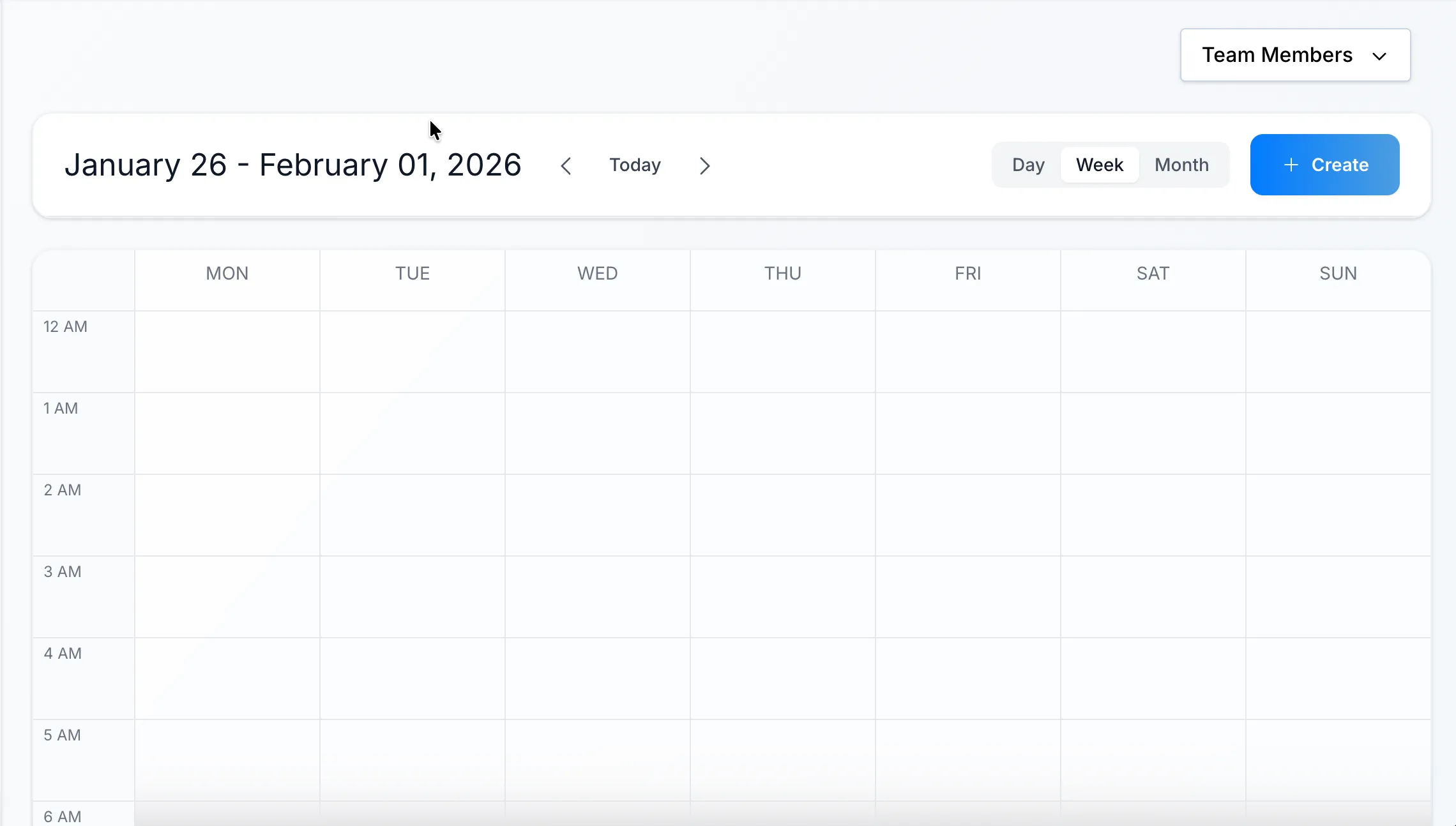
This post covers how we approached it: the data model, recurring appointment patterns, the CSS trick for positioning time blocks, multi-user column layouts, and the LiveView architecture that keeps it performant.
Why Build Custom?
Off-the-shelf calendar components exist. We evaluated several. None fit.
The problem: appointments in this system aren’t just time blocks. They’re the entry point to a state machine - scheduled → in progress → completed → billed. Different appointment types have different durations, billing rules, and workflow triggers. We needed control over every interaction.
Building custom also meant we could:
- Match the exact UX the clinic needed (not fight a library’s opinions)
- Integrate deeply with our appointment workflow engine
- Keep everything in LiveView (no JavaScript framework, one codebase)
The Data Model
Appointments live in a single table. The core fields:
schema "appointments" do
  field :start_time, :utc_datetime
  field :end_time, :utc_datetime
  field :status, Ecto.Enum, values: [:scheduled, :in_progress, :completed, :cancelled]
  field :appointment_type_id, :id

  # Recurring appointment fields
  field :is_recurring, :boolean, default: false
  field :recurring_group_id, :binary_id

  belongs_to :client, Client
  belongs_to :clinician, User

  timestamps()
end
We store start_time and end_time explicitly, but users don’t enter end times. They pick a start time and duration. The end time is computed:
def changeset(appointment, attrs) do
  appointment
  |> cast(attrs, [:start_time, :duration_minutes, ...])
  |> compute_end_time()
end

defp compute_end_time(changeset) do
  case {get_field(changeset, :start_time), get_field(changeset, :duration_minutes)} do
    {start, duration} when not is_nil(start) and not is_nil(duration) ->
      end_time = DateTime.add(start, duration, :minute)
      put_change(changeset, :end_time, end_time)
    _ ->
      changeset
  end
end
A virtual duration field lets us display and edit duration naturally while storing concrete timestamps for querying.
Preventing Overlapping Appointments
A clinician can’t be in two places at once. The calendar must prevent double-booking - and that validation belongs in the database layer, not just the UI.
We use a changeset validation that queries for conflicts:
def changeset(appointment, attrs) do
  appointment
  |> cast(attrs, [:start_time, :duration_minutes, :clinician_id, ...])
  |> compute_end_time()
  |> validate_no_overlap()
end

defp validate_no_overlap(changeset) do
  if changeset.valid? do
    clinician_id = get_field(changeset, :clinician_id)
    start_time = get_field(changeset, :start_time)
    end_time = get_field(changeset, :end_time)
    current_id = get_field(changeset, :id)

    if has_overlap?(clinician_id, start_time, end_time, current_id) do
      add_error(changeset, :start_time, "overlaps with an existing appointment")
    else
      changeset
    end
  else
    changeset
  end
end

defp has_overlap?(clinician_id, start_time, end_time, exclude_id) do
  query =
    from a in Appointment,
      where: a.clinician_id == ^clinician_id,
      where: a.status not in [:cancelled],
      # Overlap condition: new start < existing end AND new end > existing start
      where: a.start_time < ^end_time,
      where: a.end_time > ^start_time

  # Exclude current appointment when editing
  query =
    if exclude_id do
      where(query, [a], a.id != ^exclude_id)
    else
      query
    end

  Repo.exists?(query)
end
The overlap detection uses the standard interval overlap formula: two time ranges overlap if start_a < end_b AND end_a > start_b. We exclude cancelled appointments (those slots are free) and the current appointment when editing (so moving an appointment by 15 minutes doesn’t conflict with itself).
This runs on every insert and update. The UI can also call has_overlap?/4 directly to show warnings before the user submits - but the changeset validation is the source of truth.
Recurring Appointments
Recurring appointments are common in therapy settings - a client might have a standing weekly session for months.
We went with precomputed instances rather than RRULE expansion at read time. When a user creates a recurring appointment, we generate all instances upfront (within a reasonable horizon, say 6 months). Each instance is a real row in the appointments table, linked by a shared recurring_group_id.
def create_recurring(attrs, recurrence_rule) do
  group_id = Ecto.UUID.generate()

  dates = expand_recurrence(attrs.start_time, recurrence_rule)

  appointments = Enum.map(dates, fn date ->
    %{
      start_time: date,
      end_time: DateTime.add(date, attrs.duration_minutes, :minute),
      is_recurring: true,
      recurring_group_id: group_id,
      # ... other fields from attrs
    }
  end)

  Repo.insert_all(Appointment, appointments)
end
Why precompute instead of RRULE?
- Simpler queries - fetching a week’s appointments is just a date range filter, no rule expansion
- Individual edits - each instance can be modified independently (moved, cancelled) without complex exception tracking
- Predictable performance - no expansion logic at read time
The tradeoff: you need to handle “edit all future” and “delete all future” as batch operations. The recurring_group_id makes this straightforward:
def update_all_future(appointment, attrs) do
  from(a in Appointment,
    where: a.recurring_group_id == ^appointment.recurring_group_id,
    where: a.start_time >= ^appointment.start_time
  )
  |> Repo.update_all(set: Map.to_list(attrs))
end
We expose two buttons in the UI: “Edit this appointment” vs “Edit all future appointments”. Same for delete. Users understand the distinction.
For systems needing true RRULE support (iCal compatibility, infinite recurrence), you’d store the rule and expand on read. Our approach trades some flexibility for simpler code and queries.
LiveView Architecture
The calendar is built as nested LiveView components:
CalendarLive (root)
├── CalendarHeader (navigation, view toggle, filters)
├── CalendarGrid
│   ├── TimeColumn (hour labels)
│   └── DayColumn (one per day, or per day+user in multi-user view)
│       └── AppointmentCard (positioned absolutely)
└── AppointmentModal (create/edit form)
The root LiveView holds the state: current date range, selected view (day/week/month), filtered clinicians, and the appointments list.
def mount(_params, _session, socket) do
  today = Date.utc_today()

  socket =
    socket
    |> assign(:view_mode, :week)
    |> assign(:current_date, today)
    |> assign(:selected_clinicians, [])
    |> assign_appointments()

  {:ok, socket}
end

defp assign_appointments(socket) do
  {start_date, end_date} = date_range(socket.assigns.view_mode, socket.assigns.current_date)

  appointments =
    Appointments.list_for_range(
      start_date,
      end_date,
      clinician_ids: socket.assigns.selected_clinicians
    )

  assign(socket, :appointments, appointments)
end
When users navigate (next week, previous month), we fetch the new range:
def handle_event("navigate", %{"direction" => "next"}, socket) do
  new_date = advance_date(socket.assigns.current_date, socket.assigns.view_mode)

  socket =
    socket
    |> assign(:current_date, new_date)
    |> assign_appointments()

  {:noreply, socket}
end
The CSS Grid Trick
Here’s the part we are proud of: positioning appointment cards on a time grid.
The calendar grid is a fixed height. Each hour gets equal vertical space. To position an appointment, you calculate its top offset and height based on time:
def card_style(appointment, day_start) do
  # Minutes from start of day to appointment start
  start_minutes = DateTime.diff(appointment.start_time, day_start, :minute)
  duration_minutes = DateTime.diff(appointment.end_time, appointment.start_time, :minute)

  # Convert to percentages (assuming 24-hour day = 1440 minutes)
  # Or if showing 8am-6pm (10 hours = 600 minutes), adjust accordingly
  hours_shown = 10
  minutes_shown = hours_shown * 60

  top_percent = (start_minutes / minutes_shown) * 100
  height_percent = (duration_minutes / minutes_shown) * 100

  "top: #{top_percent}%; height: #{height_percent}%;"
end
In the template:
<div class="day-column relative h-full">
  <%= for appointment <- @appointments do %>
  <div
    class="appointment-card absolute left-0 right-0 mx-1 rounded bg-blue-500 text-white text-sm p-1 overflow-hidden"
    style="{card_style(appointment,"
    @day_start)}
  >
    <%= appointment.client.name %>
  </div>
  <% end %>
</div>
The day column is position: relative with a fixed height. Appointment cards are position: absolute with percentage-based top and height. Simple math, no JavaScript positioning library needed.
Here’s the mental model:
Day Column (600 minutes shown: 8am-6pm)
┌─────────────────────────┐ ← 0% (8:00 AM)
│                         │
│  ┌───────────────────┐  │ ← 25% (10:30 AM appointment)
│  │ 10:30 AM - 11:30  │  │    top: (150/600) × 100 = 25%
│  │ Client: Jane Doe  │  │    height: (60/600) × 100 = 10%
│  └───────────────────┘  │ ← 35%
│                         │
│  ┌───────────────────┐  │ ← 50% (1:00 PM appointment)
│  │ 1:00 PM - 2:30 PM │  │    top: (300/600) × 100 = 50%
│  │ Client: John Smith│  │    height: (90/600) × 100 = 15%
│  └───────────────────┘  │ ← 65%
│                         │
└─────────────────────────┘ ← 100% (6:00 PM)
Minutes from day start divided by total minutes shown. That’s it. The browser handles the rest.
For overlapping appointments (two clinicians, same time slot in single-user view), you’d need collision detection and width adjustments. We sidestep this with multi-user columns.
Multi-User Views
A clinic receptionist needs to see everyone’s schedule at once. Our week view supports selecting multiple clinicians - each day then shows multiple columns, one per clinician.
<div class="week-grid grid" style={"grid-template-columns: auto repeat(#{@days * @clinician_count}, 1fr)"}>
  <!-- Time column -->
  <div class="time-column">
    <%= for hour <- @hours do %>
      <div class="hour-label"><%= format_hour(hour) %></div>
    <% end %>
  </div>

  <!-- Day + clinician columns -->
  <%= for day <- @days do %>
    <%= for clinician <- @selected_clinicians do %>
      <.day_column
        date={day}
        clinician={clinician}
        appointments={filter_appointments(@appointments, day, clinician)}
      />
    <% end %>
  <% end %>
</div>
The grid column count is dynamic: auto for the time labels, then one column per (day × clinician) combination. A week view with 3 clinicians = 22 columns (1 + 7×3).
Filtering happens in the LiveView:
def handle_event("filter_clinicians", %{"clinician_ids" => ids}, socket) do
  socket =
    socket
    |> assign(:selected_clinicians, ids)
    |> assign_appointments()

  {:noreply, socket}
end
The dropdown is a multi-select. Pick the clinicians you care about, the grid reshapes.
Drag and Drop
Rescheduling via drag-and-drop is table stakes for a calendar. LiveView doesn’t have native drag-and-drop, so we use a JavaScript hook.
// assets/js/hooks/calendar_drag.js
export const CalendarDrag = {
  mounted() {
    this.el.addEventListener("dragstart", (e) => {
      e.dataTransfer.setData("appointment_id", this.el.dataset.appointmentId);
    });
  },
};

export const CalendarDrop = {
  mounted() {
    this.el.addEventListener("dragover", (e) => e.preventDefault());

    this.el.addEventListener("drop", (e) => {
      const appointmentId = e.dataTransfer.getData("appointment_id");
      const dropTime = this.calculateDropTime(e);

      // Optimistic update: move the card immediately
      this.moveCardOptimistically(appointmentId, dropTime);

      // Push to server
      this.pushEvent("reschedule", {
        appointment_id: appointmentId,
        new_start_time: dropTime,
      });
    });
  },

  calculateDropTime(event) {
    // Convert Y position to time based on grid dimensions
    const rect = this.el.getBoundingClientRect();
    const relativeY = event.clientY - rect.top;
    const percentY = relativeY / rect.height;
    const minutesFromDayStart = percentY * MINUTES_SHOWN;
    // ... compute actual datetime
  },
};
We do optimistic updates - the card moves immediately on drop, before the server responds. If the server rejects the change (conflict, validation error), we revert. This makes the UI feel snappy - like a native desktop app, even on slower connections. The user sees instant feedback while the server validates in the background.
def handle_event("reschedule", %{"appointment_id" => id, "new_start_time" => time}, socket) do
  appointment = Appointments.get!(id)

  case Appointments.reschedule(appointment, time) do
    {:ok, updated} ->
      {:noreply, update_appointment_in_list(socket, updated)}
    {:error, _reason} ->
      # Push an event to revert the optimistic update
      {:noreply, push_event(socket, "revert_drag", %{appointment_id: id})}
  end
end
Performance Considerations
LiveView re-renders can add up with complex UIs. A few patterns kept the calendar smooth:
1. Use phx-update strategically
The calendar is built from multiple LiveView components, with a single parent responsible for rendering and event handling, while child components delegate events upward. We use optimistic updates for responsiveness, then re-render the entire grid when new data arrives to guarantee consistency with the server. Replacing the container is simpler and faster than diffing dozens of individually positioned appointment cards.
2. Scope your queries
Only fetch what’s visible. A week view doesn’t need last month’s appointments. Sounds obvious, but it’s easy to over-fetch when building features incrementally.
def list_for_range(start_date, end_date, opts \\ []) do
  clinician_ids = Keyword.get(opts, :clinician_ids, [])

  query = from a in Appointment,
    where: a.start_time >= ^start_date,
    where: a.start_time < ^end_date,
    where: a.status != :cancelled,
    preload: [:client, :clinician]

  query =
    if clinician_ids != [] do
      where(query, [a], a.clinician_id in ^clinician_ids)
    else
      query
    end

  Repo.all(query)
end
3. Preload associations
N+1 queries kill performance. We preload client and clinician data in the initial fetch, not in the template.
4. Keep components focused
Each DayColumn only receives the appointments for that day and clinician. It doesn’t re-render when a different day’s appointments change.
What We’d Add Next
The calendar works well for the current scale (7-8 clinicians, 30-40 appointments visible at peak). Future improvements:
Real-time updates via PubSub - when one user schedules an appointment, others see it appear. The infrastructure is trivial in Phoenix:
# After creating/updating an appointment
Phoenix.PubSub.broadcast(App.PubSub, "calendar:#{clinic_id}", {:appointment_changed, appointment})

# In the LiveView
def mount(_, _, socket) do
  Phoenix.PubSub.subscribe(App.PubSub, "calendar:#{socket.assigns.clinic_id}")
  # ...
end

def handle_info({:appointment_changed, appointment}, socket) do
  {:noreply, update_appointment_in_list(socket, appointment)}
end
RRULE-based recurrence - for iCal import/export compatibility. Store the rule, expand on read, cache aggressively.
Keyboard navigation - arrow keys to move between days, Enter to create appointment at selected time.
Wrapping Up
Building a production calendar in LiveView is absolutely viable. The key insights:
- Simple data model - store concrete timestamps, compute durations
- Precompute recurring appointments - simpler queries, easier individual edits
- CSS does the positioning - percentage-based top/height, no JS layout library
- Multi-user = more columns - reshape the grid dynamically
- Optimistic drag-and-drop - JS hook for interaction, push to server, revert on error
- Fetch only what’s visible - scope queries to the current view range
LiveView’s server-rendered model means you’re not fighting state synchronization between client and server. The socket assigns are the source of truth. That simplicity pays off when building something this interactive.
We spent about two weeks on the calendar - from blank LiveView to production-ready with all the features described here. Not trivial, but far less than building the equivalent in React with a separate API layer.
Sometimes the right move is to build it yourself.
Building with Elixir and Phoenix? Variant Systems helps teams ship production LiveView applications.