February 23, 2026 · Variant Systems
PostGIS: Building Location-Aware Applications
Practical guide to PostGIS, spatial indexing, and H3 — turn address columns into spatial queries for delivery routing and territory analysis.
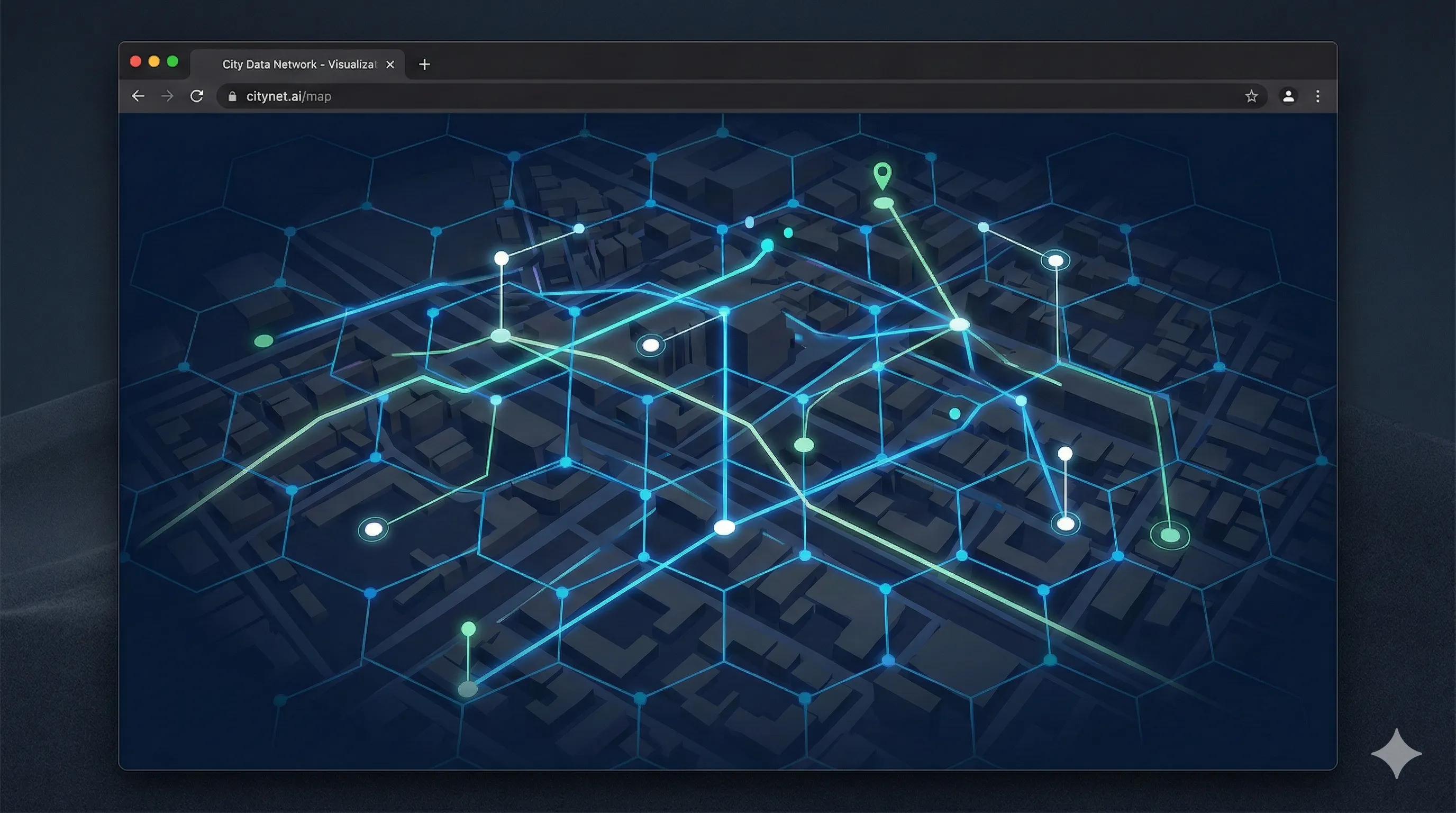
Every business has location data. Customer addresses, delivery routes, warehouse coordinates, service areas, asset positions. Most of it sits in a VARCHAR column called address, treated as a label to print on an envelope.
That’s an expensive missed opportunity.
When you store a location as text, you can search for it. When you store it as geometry, you can reason about it. Which customers are within 30 minutes of this warehouse? Where do our delivery zones overlap? Which sales territories are underperforming relative to population density? Where should we open the next location?
These aren’t questions you answer with LIKE '%Brooklyn%'. They’re spatial queries - and they require a different way of thinking about your data.
The global GIS market is at $12.9 billion and projected to hit $32 billion by 2033. Three-quarters of Fortune 500 companies use location intelligence. This isn’t niche technology. But most software teams we work with have never built a spatial application. The tooling is mature, the patterns are well-understood, and the gap between “we have addresses” and “we have a spatial analytics platform” is smaller than most people think.
This post is the bridge. We’ll walk through the modern GIS stack, the architectural patterns that matter, and enough code to build something real.
What GIS actually means for software teams
GIS - Geographic Information Systems - is a broad term that covers everything from satellite imagery analysis to urban planning. For most software teams, it means one thing: making your application location-aware.
That ranges from simple to sophisticated:
- Simple: Show a map of your stores. Geocode customer addresses. Let users search “near me.”
- Intermediate: Calculate delivery zones. Optimize routes. Detect which service area a new customer falls in.
- Advanced: Real-time fleet tracking with geofencing. Demand heatmaps using hexagonal spatial aggregation. Risk scoring based on geographic factors.
The technology is the same across all three levels. The difference is how deeply you lean into spatial queries and what data you feed them.
The modern GIS stack
Here’s what a production geospatial application looks like today:
Database: PostGIS - The spatial extension for PostgreSQL. Adds geometry and geography types, spatial indexes, and 300+ spatial functions. This is your foundation. If you’re already on Postgres, you’re one CREATE EXTENSION away.
Spatial indexing: GiST + H3 - GiST indexes make spatial queries fast. H3 (Uber’s hexagonal spatial index) makes spatial aggregation clean.
Frontend: Leaflet or MapLibre GL - Leaflet is the workhorse (1.4M+ monthly npm downloads, 600+ plugins). MapLibre GL is the open-source Mapbox GL fork for advanced 3D rendering and vector tiles.
Client-side analysis: Turf.js - Modular geospatial analysis in JavaScript. Distance, area, intersection, buffering - offload simple computations to the client.
Geocoding: Mapbox / Nominatim - Convert addresses to coordinates. Do it once on write, store the result. Never geocode the same address twice.
Real-time: Tile38 - In-memory geolocation data store for real-time geofencing. Webhooks fire when objects enter or leave zones.
PostGIS: the foundation
PostGIS turns PostgreSQL into a spatial database. If you already know Postgres, the learning curve is a handful of new types and functions.
Geometry vs. geography
PostGIS has two spatial types:
geometry- Coordinates on a flat plane. Fast, supports the full range of operations. Use a projected coordinate system (like EPSG:3857) for regional datasets.geography- Coordinates on a sphere. Accounts for Earth’s curvature. Computationally more expensive, supports fewer operations. Use for datasets that span large areas or cross hemispheres.
For most business applications - delivery zones, store locations, service areas - geometry with SRID 4326 (WGS 84, the GPS standard) is the right choice.
-- Add a spatial column to an existing table
ALTER TABLE customers
ADD COLUMN location geometry(Point, 4326);

-- Store a customer's location from lat/lng
UPDATE customers
SET location = ST_SetSRID(ST_MakePoint(-73.985428, 40.748817), 4326)
WHERE id = 42;
The spatial queries that matter
Most geospatial applications rely on a handful of query patterns. Here are the ones we use constantly.
Radius search - “Find everything within X distance”
-- Find all warehouses within 50km of a point
SELECT name, ST_Distance(location::geography, ST_MakePoint(-73.98, 40.75)::geography) AS distance_m
FROM warehouses
WHERE ST_DWithin(location::geography, ST_MakePoint(-73.98, 40.75)::geography, 50000)
ORDER BY distance_m;
The critical detail: use ST_DWithin, not WHERE ST_Distance(...) < 50000. ST_DWithin uses the spatial index. ST_Distance in a WHERE clause does a full table scan. This is the single most common PostGIS performance mistake.
Point-in-polygon - “Which zone does this point fall in?”
-- Which delivery zone does this customer belong to?
SELECT zones.name
FROM delivery_zones zones
WHERE ST_Contains(zones.boundary, ST_SetSRID(ST_MakePoint(-73.98, 40.75), 4326));
This is the query behind every “which service area am I in?” feature. The zone boundaries are stored as polygons, and ST_Contains checks whether a point falls inside.
Nearest neighbor - “Find the 5 closest things”
-- Find the 5 nearest drivers to a pickup location
SELECT driver_id, name
FROM drivers
ORDER BY location <-> ST_SetSRID(ST_MakePoint(-73.98, 40.75), 4326)
LIMIT 5;
The <-> operator uses the KNN-GiST index. It returns results in distance order without computing distance for every row. This is how ride-sharing apps find nearby drivers.
Spatial join - “Aggregate data by geography”
-- Count customers per sales territory
SELECT territories.name, COUNT(customers.id) AS customer_count
FROM sales_territories territories
LEFT JOIN customers ON ST_Contains(territories.boundary, customers.location)
GROUP BY territories.name
ORDER BY customer_count DESC;
Spatial joins are how you turn two datasets into business intelligence. Customer locations joined against territory boundaries. Insurance claims joined against risk zones. Retail transactions joined against trade areas.
Spatial indexing: why it matters, how it works
Without a spatial index, a query like “find all points within this polygon” checks every row in the table. Two 10,000-row tables in a spatial join: 100 million comparisons. With a spatial index: as few as 20,000.
PostGIS indexes don’t index the actual geometries - they index bounding boxes. Every spatial query happens in two phases:
- Index scan (fast): Filter rows whose bounding box overlaps the query area
- Exact check (slower): Test the actual geometry for the filtered rows
This two-phase approach is why ST_Intersects and ST_Contains are fast on indexed data - they implicitly do the bounding box filter first.
-- Create a spatial index (GiST is the default and usually the right choice)
CREATE INDEX idx_customers_location ON customers USING GIST (location);

-- For large datasets with clustered spatial data, BRIN can be smaller
CREATE INDEX idx_gps_tracks_location ON gps_tracks USING BRIN (location);
GiST (Generalized Search Tree) is the default. It implements an R-tree structure and supports the widest range of operations. Use it unless you have a specific reason not to.
BRIN (Block Range Index) is dramatically smaller - useful for massive datasets where the data is physically ordered by location (e.g., GPS tracks inserted in geographic sequence). It’s less precise but requires a fraction of the storage.
PostgreSQL tuning for spatial workloads
Spatial operations are memory-intensive. A few settings to adjust from defaults:
shared_buffers = 25-30% of RAM
work_mem = 256MB-1GB  (spatial joins need room)
effective_cache_size = 75% of RAM
random_page_cost = 1.1  (if you're on SSDs - spatial indexes do many random reads)
Run VACUUM ANALYZE after bulk data loads. The query planner needs accurate statistics for spatial columns to make good index decisions.
H3: hexagonal spatial aggregation
H3 is Uber’s open-source hexagonal spatial index. It divides the globe into hexagonal cells at 16 resolution levels - from 4.3 million km² cells down to 0.9 m² cells.
Why hexagons instead of squares? Uniform adjacency. Every hexagonal neighbor is equidistant from the center. In a square grid, diagonal neighbors are ~41% farther away than edge neighbors. This matters when you’re computing distances, analyzing clusters, or defining zones - hexagons produce fewer edge artifacts.
Uber reduced their ETA prediction errors by 22% after switching from rectangular grids to H3 for feature engineering.
H3 is available as a PostgreSQL extension, making it composable with PostGIS:
-- Install h3-pg
CREATE EXTENSION h3;

-- Convert a point to an H3 cell at resolution 7 (~5.16 km² per cell)
SELECT h3_lat_lng_to_cell(POINT(40.7484, -73.9856), 7);

-- Build a demand heatmap: count orders per hex cell
SELECT h3_lat_lng_to_cell(POINT(ST_Y(location), ST_X(location)), 7) AS hex,
       COUNT(*) AS order_count
FROM orders
WHERE created_at > NOW() - INTERVAL '24 hours'
GROUP BY hex
ORDER BY order_count DESC;
This query produces a heatmap dataset in one scan. Each hex cell has a count. Render them on a map with color intensity proportional to count, and you have a demand density visualization that updates in real time.
H3 is particularly useful for:
- Demand forecasting - aggregate historical data by hex cell for ML features
- Delivery zone definition - compose zones from hex cells instead of drawing arbitrary polygons
- Spatial clustering - group nearby points without arbitrary distance thresholds
Real-time geofencing with Tile38
For applications that need to react when something enters or leaves an area - fleet tracking, delivery notifications, asset monitoring - you need real-time geofencing.
Tile38 is an in-memory geolocation data store built for this. It supports points, polygons, GeoJSON, and geofence webhooks.
The pattern:
- Define zones (delivery areas, restricted regions, service boundaries)
- Stream object positions into Tile38 (vehicles, drivers, assets)
- Tile38 fires webhooks when objects enter or exit zones
# Define a delivery zone
SET fleet zone:downtown OBJECT '{"type":"Polygon","coordinates":[[[-73.99,40.74],[-73.97,40.74],[-73.97,40.76],[-73.99,40.76],[-73.99,40.74]]]}'

# Set a vehicle's position (updates as GPS data arrives)
SET fleet vehicle:42 POINT 40.7484 -73.9856

# Create a geofence - webhook fires on enter/exit
SETHOOK delivery-zone http://your-api.com/geofence/event WITHIN fleet FENCE OBJECT '{"type":"Polygon","coordinates":[[...]]}'
When vehicle:42 crosses the zone boundary, your webhook receives:
{
  "command": "set",
  "id": "vehicle:42",
  "detect": "enter",
  "object": { "type": "Point", "coordinates": [-73.9856, 40.7484] }
}
This is how you build “your delivery is 5 minutes away” without polling. The geofence tells you the moment the vehicle enters the notification zone.
For high-frequency GPS streams - thousands of vehicles reporting every few seconds - you can use H3 to reduce computational cost. Discretize positions into hex cells and check zone membership at the cell level rather than doing point-in-polygon for every GPS update.
Industry patterns
The same spatial primitives show up across industries. The database queries are remarkably similar - what changes is the domain context and the data being analyzed.
Logistics
Route optimization, warehouse placement, delivery zone management, last-mile tracking. The spatial queries: nearest-neighbor for dispatch, point-in-polygon for zone assignment, buffer analysis for service area coverage.
Retail
Site selection overlaying demographics, foot traffic, competitor proximity, and transit access. Catchment area analysis to estimate revenue potential. Delivery zone optimization using H3 cells adjusted for demand density.
Insurance
Geographic risk assessment for underwriting - which properties fall in flood zones, fire risk areas, earthquake regions. Claims density mapping to identify fraud patterns. Catastrophe modeling overlaying weather events with insured property locations.
Real estate
Property valuation incorporating proximity to amenities, transit, schools. Zoning and land use analysis. Investment targeting based on population growth trends and infrastructure development pipelines.
Agriculture
Precision farming - mapping soil health, crop yields, elevation, and weather to optimize planting. Variable-rate irrigation and fertilization based on spatial field analysis.
In every case, the technical pattern is the same: store locations as geometry, index them, and join them against other spatial datasets. The business value comes from the questions you can now ask.
Building a location-aware feature: end to end
Here’s what a practical implementation looks like - a “find nearby” feature for a service marketplace.
Schema
CREATE TABLE service_providers (
  id SERIAL PRIMARY KEY,
  name TEXT NOT NULL,
  category TEXT NOT NULL,
  location geometry(Point, 4326) NOT NULL,
  rating NUMERIC(2,1),
  active BOOLEAN DEFAULT true
);

CREATE INDEX idx_providers_location ON service_providers USING GIST (location);
CREATE INDEX idx_providers_category ON service_providers (category);
API endpoint
// Find providers near a location, filtered by category
app.get("/api/providers/nearby", async (req, res) => {
  const { lat, lng, radius_km = 10, category } = req.query;

  const result = await db.query(
    `SELECT id, name, category, rating,
            ST_Distance(location::geography, ST_MakePoint($1, $2)::geography) AS distance_m,
            ST_X(location) AS lng, ST_Y(location) AS lat
     FROM service_providers
     WHERE active = true
       AND ($3::text IS NULL OR category = $3)
       AND ST_DWithin(location::geography, ST_MakePoint($1, $2)::geography, $4)
     ORDER BY distance_m
     LIMIT 50`,
    [lng, lat, category || null, radius_km * 1000],
  );

  res.json(result.rows);
});
Frontend with Leaflet
import L from "leaflet";

const map = L.map("map").setView([40.7484, -73.9856], 13);

L.tileLayer("https://{s}.tile.openstreetmap.org/{z}/{x}/{y}.png", {
  attribution: "© OpenStreetMap contributors",
}).addTo(map);

async function loadNearbyProviders(lat: number, lng: number) {
  const res = await fetch(
    `/api/providers/nearby?lat=${lat}&lng=${lng}&radius_km=5`,
  );
  const providers = await res.json();

  providers.forEach((p) => {
    L.marker([p.lat, p.lng])
      .addTo(map)
      .bindPopup(`<b>${p.name}</b><br>${(p.distance_m / 1000).toFixed(1)} km`);
  });
}

// Load providers around the initial center
loadNearbyProviders(40.7484, -73.9856);

// Reload when the user pans the map
map.on("moveend", () => {
  const center = map.getCenter();
  loadNearbyProviders(center.lat, center.lng);
});
Thirty lines of SQL, forty lines of API code, thirty lines of frontend. You have a location-aware search that handles thousands of providers, returns results sorted by distance, and updates as the user navigates the map. The spatial index ensures it stays fast.
Geocoding strategy
You need to convert addresses to coordinates. The approach matters more than the provider.
Geocode on write, not on read. When a user enters an address - during registration, placing an order, adding a location - geocode it immediately and store the coordinates. Never geocode the same address twice. This eliminates runtime API calls, reduces latency, and keeps your geocoding costs predictable.
async function createCustomer(data: CustomerInput) {
  // Geocode once at creation
  const coords = await geocoder.forward(data.address);

  return db.query(
    `INSERT INTO customers (name, address, location)
     VALUES ($1, $2, ST_SetSRID(ST_MakePoint($3, $4), 4326))`,
    [data.name, data.address, coords.lng, coords.lat],
  );
}
Batch geocode existing data. If you’re adding spatial capabilities to an existing application, you have a backlog of addresses that need coordinates. Run them through the geocoding API in batches, rate-limited and with retry logic. This is a one-time migration cost.
Cache and deduplicate. Normalize addresses before geocoding and cache results. “123 Main St” and “123 Main Street” should resolve to the same coordinates without burning two API calls.
For providers: Mapbox and Google are the most accurate for North America. Nominatim (OpenStreetMap) is free and self-hostable, with accuracy that’s adequate for most use cases. For high-volume applications, self-hosting Pelias or Nominatim with local OSM data eliminates per-query costs entirely.
When to build vs. buy
Use a platform (ArcGIS, CARTO, Felt) when your team includes GIS analysts who need to explore, visualize, and publish spatial data without writing code. These tools are excellent for ad-hoc analysis and stakeholder-facing dashboards.
Build custom with PostGIS when spatial capabilities need to be embedded in your application. User-facing features (store finders, delivery tracking, zone management), real-time operations (fleet dispatch, geofencing), and data pipelines that produce spatial outputs - these require spatial logic integrated into your codebase, not a separate platform.
The BP lesson. BP moved from disconnected, department-level GIS solutions to an enterprise GIS platform. The lesson is generalizable: building spatial solutions per business unit creates data silos and duplicated infrastructure. A shared spatial data layer - whether that’s a centralized PostGIS database or a well-designed spatial API - gives every team access to the same location intelligence.
Most of our clients fall into the “build custom” category. They have an existing application that needs to become location-aware. PostGIS is the natural starting point because it extends their existing PostgreSQL database. The spatial capabilities grow incrementally - from storing coordinates to running spatial queries to real-time geofencing - as the business case expands.
Getting started
If you have a PostgreSQL database with address data, you can be running spatial queries this week:
- Enable PostGIS:
CREATE EXTENSION postgis; - Add a geometry column to your table
- Geocode your addresses and populate the column
- Create a GiST index
- Start asking spatial questions
The gap between “we have addresses” and “we have location intelligence” is a database extension, a geocoding pass, and a handful of queries. The hard part was never the technology. It was knowing the patterns exist.
We build location-aware applications on PostGIS, from delivery platforms to real estate tools. If your application has location data that’s sitting in a text column, let’s talk.