February 23, 2026 · Variant Systems
React Native Skia: Shaders, Uniforms & Reanimated
Guide to Skia shader uniforms with Reanimated shared values. Includes examples for GPU animations, custom charts, and gesture-driven effects.
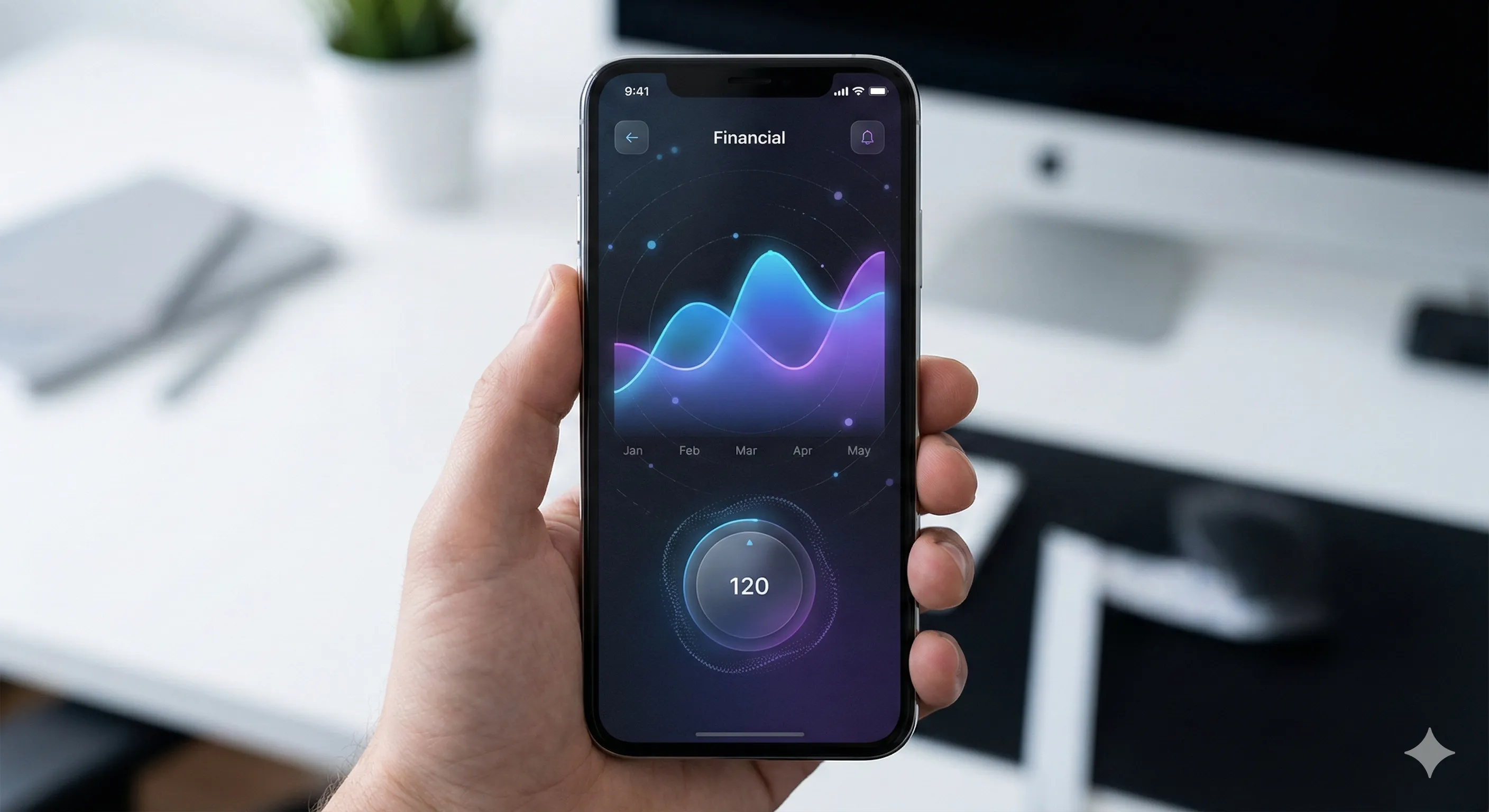
Standard React Native rendering was built for layouts, lists, and buttons. It works well for that. But the moment you need a custom chart that scrubs at 60fps, a gradient animation that follows a gesture, or a blur effect that doesn’t stutter on Android - you hit the ceiling.
The ceiling exists because React Native’s rendering path goes through the platform’s native view system. UIKit on iOS, Android Views on Android. These are optimized for standard UI components, not for drawing 5,000 data points on a canvas or computing a real-time Gaussian blur. When you push them with libraries like react-native-svg, you end up with massive DOM trees, frame drops, and the uncomfortable realization that the platform wasn’t designed for this.
React Native Skia changes the equation. Maintained by Shopify and led by William Candillon, it brings Google’s Skia 2D graphics engine directly into React Native. Skia is the same engine that powers Chrome, Android, Flutter, and most of Google’s rendering infrastructure. It draws directly to the GPU, bypassing the native view system entirely for the components that need it.
This isn’t a replacement for standard React Native rendering. It’s a second rendering path - one optimized for custom graphics, animations, and visual effects. The two coexist. Your navigation, lists, and forms stay as standard Views. Your charts, illustrations, and effects render through Skia.
We build React Native apps for clients across fintech, healthcare, and e-commerce. Skia has become our go-to for any feature that needs custom visuals. This post covers what it is, how it works architecturally, and how to build real things with it.
How it works under the hood
Three architectural decisions make Skia fast.
JSI, not the bridge
React Native Skia communicates with Skia’s C++ engine through JSI (JavaScript Interface) - synchronous, direct C++ function calls from JavaScript. No serialization. No async bridge. No JSON encoding of drawing commands.
The old React Native bridge serialized everything into JSON, sent it across an async channel, and deserialized it on the other side. For layout updates, this is fine. For 60fps animations where you’re updating paths and colors every frame, the serialization overhead is fatal.
JSI makes Skia calls feel like regular function calls because, at the machine level, they are.
The SkiaDOM
Skia uses its own React reconciler. When you write <Circle cx={100} cy={100} r={50} />, it doesn’t create a native platform view. It creates a node in Skia’s internal display list - the SkiaDOM.
The reconciler diffs this display list the same way React diffs the component tree. When a prop changes, only the affected node is updated and redrawn. This means you get React’s declarative model with Skia’s GPU-accelerated rendering - the best of both worlds.
UI thread rendering
The SkiaDOM can execute drawing commands on the UI thread, independent of the JavaScript thread. When paired with Reanimated, animations run entirely on the UI thread - JavaScript never enters the picture during a frame.
This is why Skia animations don’t drop frames when your JS thread is busy. The drawing pipeline is decoupled from your business logic, network calls, and state management.
The declarative API
Skia’s API is React. If you can write JSX, you can use Skia.
import {
  Canvas,
  Circle,
  Group,
  LinearGradient,
  vec,
} from "@shopify/react-native-skia";

function GradientCircle() {
  return (
    <Canvas style={{ width: 256, height: 256 }}>
      <Group>
        <Circle cx={128} cy={128} r={100}>
          <LinearGradient
            start={vec(28, 28)}
            end={vec(228, 228)}
            colors={["#4776E6", "#8E54E9"]}
          />
        </Circle>
      </Group>
    </Canvas>
  );
}
The <Canvas> component is a regular React Native view. Everything inside it renders through Skia. You can position the Canvas alongside standard Views - a chart embedded in a ScrollView, an animated illustration in a card, a custom loader in a modal.
Shapes, filters, and shaders compose through nesting:
<Circle cx={128} cy={128} r={100}>
  {/* Shader fills the circle */}
  <LinearGradient
    start={vec(0, 0)}
    end={vec(256, 256)}
    colors={["#00f", "#f00"]}
  />
  {/* Blur is applied to the circle */}
  <Blur blur={2} />
</Circle>
A shader child fills the shape. A filter child processes the shape. Multiple children compose in order. This is more intuitive than imperative canvas APIs where you manage state, call draw methods in sequence, and manually track what’s been rendered.
Animations with Reanimated
The integration between Skia and Reanimated is where things get powerful. Shared values from Reanimated work directly as Skia props - no createAnimatedComponent, no useAnimatedProps.
import { Canvas, Circle, vec } from "@shopify/react-native-skia";
import {
  useSharedValue,
  withRepeat,
  withTiming,
} from "react-native-reanimated";
import { useEffect } from "react";

function PulsingCircle() {
  const radius = useSharedValue(50);

  useEffect(() => {
    radius.value = withRepeat(withTiming(100, { duration: 1000 }), -1, true);
  }, []);

  return (
    <Canvas style={{ width: 256, height: 256 }}>
      <Circle cx={128} cy={128} r={radius} color="#4776E6" />
    </Canvas>
  );
}
The radius animates from 50 to 100 and back, running entirely on the UI thread. The JS thread could be frozen - the animation would still be smooth.
Gesture-driven animations
Combining Skia with Reanimated and React Native Gesture Handler gives you gesture-driven graphics:
import { Canvas, Circle, vec } from "@shopify/react-native-skia";
import { useSharedValue } from "react-native-reanimated";
import { Gesture, GestureDetector } from "react-native-gesture-handler";

function DraggableCircle() {
  const cx = useSharedValue(128);
  const cy = useSharedValue(128);

  const gesture = Gesture.Pan().onChange((event) => {
    cx.value += event.changeX;
    cy.value += event.changeY;
  });

  return (
    <GestureDetector gesture={gesture}>
      <Canvas style={{ flex: 1 }}>
        <Circle cx={cx} cy={cy} r={40} color="#8E54E9" />
      </Canvas>
    </GestureDetector>
  );
}
The circle follows the user’s finger at the native gesture rate. No JS thread involvement during the drag. This is the pattern behind interactive charts (drag to scrub), custom sliders, and drawing applications.
The color interpolation gotcha
One important caveat: Skia uses a different internal color format than Reanimated. If you need to animate between colors, use interpolateColors from Skia, not interpolateColor from Reanimated.
import { interpolateColors } from "@shopify/react-native-skia";
import { useDerivedValue, useSharedValue } from "react-native-reanimated";

const progress = useSharedValue(0);

const color = useDerivedValue(() => {
  return interpolateColors(progress.value, [0, 1], ["#4776E6", "#E94E77"]);
});
This trips up every team the first time. The symptom is colors jumping to black during animation. The fix is always: use Skia’s color functions when the output goes into a Skia component.
Shaders: GPU-powered effects
Skia supports custom shaders written in SkSL - Skia’s shading language, syntactically close to GLSL. Shaders run on the GPU and are compiled at runtime.
import { Canvas, Fill, Skia, Shader, vec } from "@shopify/react-native-skia";
import {
  useSharedValue,
  useDerivedValue,
  withRepeat,
  withTiming,
} from "react-native-reanimated";
import { useEffect } from "react";

const source = Skia.RuntimeEffect.Make(`
  uniform float2 iResolution;
  uniform float iTime;

  half4 main(float2 pos) {
    float2 uv = pos / iResolution;
    float wave = sin(uv.x * 10.0 + iTime * 2.0) * 0.5 + 0.5;
    return half4(uv.x, wave, uv.y, 1.0);
  }
`)!;

function AnimatedShader() {
  const time = useSharedValue(0);

  useEffect(() => {
    time.value = withRepeat(withTiming(Math.PI * 2, { duration: 3000 }), -1);
  }, []);

  const uniforms = useDerivedValue(() => ({
    iResolution: vec(256, 256),
    iTime: time.value,
  }));

  return (
    <Canvas style={{ width: 256, height: 256 }}>
      <Fill>
        <Shader source={source} uniforms={uniforms} />
      </Fill>
    </Canvas>
  );
}
This renders a GPU-computed wave pattern that animates continuously. The shader runs on the GPU - no per-pixel computation on the CPU. You can port ShaderToy effects to React Native with minimal changes by adapting the GLSL to SkSL syntax.
Practical uses for shaders in production apps:
- Holographic card effects - tie shader uniforms to device gyroscope data for tilt-reactive metallic sheens
- Animated gradient backgrounds - smoother and more performant than animating React Native LinearGradient
- Image displacement effects - distort images based on touch position for interactive product showcases
- Procedural textures - noise, patterns, and organic textures without shipping image assets
Blur and backdrop effects
Blur is one of the most common visual effects in mobile design - and one of the hardest to do well in React Native. Skia makes it straightforward.
import { Canvas, Image, Blur, useImage } from "@shopify/react-native-skia";

function BlurredImage() {
  const image = useImage(require("./photo.jpg"));
  if (!image) return null;

  return (
    <Canvas style={{ width: 300, height: 300 }}>
      <Image image={image} x={0} y={0} width={300} height={300} fit="cover">
        <Blur blur={10} />
      </Image>
    </Canvas>
  );
}
For frosted glass effects (the iOS-style translucent overlay), Skia provides BackdropBlur:
import {
  Canvas,
  BackdropBlur,
  Fill,
  RoundedRect,
} from "@shopify/react-native-skia";

function FrostedOverlay() {
  return (
    <Canvas style={{ flex: 1 }}>
      {/* Content behind the overlay */}
      <Fill color="#1a1a2e" />

      {/* Frosted glass panel */}
      <BackdropBlur blur={20} clip={{ x: 20, y: 100, width: 260, height: 200 }}>
        <RoundedRect
          x={20}
          y={100}
          width={260}
          height={200}
          r={16}
          color="rgba(255,255,255,0.1)"
        />
      </BackdropBlur>
    </Canvas>
  );
}
BackdropBlur captures what’s behind it (the “backdrop”), applies a Gaussian blur, and renders the result. This is equivalent to CSS backdrop-filter: blur() - but running natively on the GPU.
Custom charts: the most common use case
Charts are where Skia earns its place in most codebases. SVG-based chart libraries create a DOM node for every data point. At 100 points, that’s fine. At 1,000, the frame rate suffers. At 5,000, it’s unusable.
Skia draws to a GPU texture. The number of data points affects computation time, not DOM complexity. A 5,000-point line chart renders and animates as smoothly as a 50-point one.
import {
  Canvas,
  Path,
  Skia,
  LinearGradient,
  vec,
} from "@shopify/react-native-skia";

function LineChart({
  data,
  width,
  height,
}: {
  data: number[];
  width: number;
  height: number;
}) {
  const max = Math.max(...data);
  const min = Math.min(...data);
  const range = max - min || 1;
  const stepX = width / (data.length - 1);

  // Build the path
  const path = Skia.Path.Make();
  data.forEach((value, i) => {
    const x = i * stepX;
    const y = height - ((value - min) / range) * height;
    if (i === 0) path.moveTo(x, y);
    else path.lineTo(x, y);
  });

  // Build a filled area path
  const areaPath = Skia.Path.Make();
  areaPath.addPath(path);
  areaPath.lineTo(width, height);
  areaPath.lineTo(0, height);
  areaPath.close();

  return (
    <Canvas style={{ width, height }}>
      {/* Gradient fill under the line */}
      <Path path={areaPath} style="fill">
        <LinearGradient
          start={vec(0, 0)}
          end={vec(0, height)}
          colors={["rgba(71, 118, 230, 0.3)", "rgba(71, 118, 230, 0)"]}
        />
      </Path>
      {/* The line itself */}
      <Path
        path={path}
        style="stroke"
        strokeWidth={2}
        color="#4776E6"
        strokeCap="round"
        strokeJoin="round"
      />
    </Canvas>
  );
}
Add Reanimated shared values for the data, and the chart animates between datasets - path morphing, value transitions, entry animations - all on the UI thread.
For production chart implementations, react-native-graph by Margelo is built on Skia and handles the details: touch scrubbing, animated transitions, gesture-based zooming. It renders thousands of data points at 120fps.
Path animations
Path interpolation lets you morph between two shapes - useful for state transitions, loading indicators, and interactive illustrations.
import {
  Canvas,
  Path,
  usePathInterpolation,
  Skia,
} from "@shopify/react-native-skia";
import {
  useSharedValue,
  withRepeat,
  withTiming,
} from "react-native-reanimated";
import { useEffect } from "react";

const circlePath = Skia.Path.Make();
circlePath.addCircle(128, 128, 80);

const squarePath = Skia.Path.Make();
squarePath.addRRect(Skia.RRRect(48, 48, 208, 208, 16, 16));

function MorphingShape() {
  const progress = useSharedValue(0);

  useEffect(() => {
    progress.value = withRepeat(withTiming(1, { duration: 2000 }), -1, true);
  }, []);

  const path = usePathInterpolation(progress, [0, 1], [circlePath, squarePath]);

  return (
    <Canvas style={{ width: 256, height: 256 }}>
      <Path path={path} color="#8E54E9" />
    </Canvas>
  );
}
The shape smoothly morphs between a circle and a rounded square. Skia interpolates every point on the path, producing fluid transitions that would be extremely complex to implement with standard Animated or LayoutAnimation APIs.
Atlas: efficient sprite rendering
For applications that render many similar objects - particle effects, confetti, map markers, data point clusters - the Atlas component batches them into a single draw call.
import {
  Canvas,
  Atlas,
  useRSXformBuffer,
  useRectBuffer,
  useImage,
} from "@shopify/react-native-skia";

function ParticleField({ count = 500 }) {
  const spriteSheet = useImage(require("./particle.png"));

  const sprites = useRectBuffer(count, (rect, i) => {
    // All sprites use the same source rectangle from the sprite sheet
    rect.setXYWH(0, 0, 16, 16);
  });

  const transforms = useRSXformBuffer(count, (transform, i) => {
    // Position each sprite randomly
    const x = Math.random() * 400;
    const y = Math.random() * 800;
    const scale = 0.5 + Math.random() * 1.5;
    transform.set(scale, 0, x, y);
  });

  if (!spriteSheet) return null;

  return (
    <Canvas style={{ flex: 1 }}>
      <Atlas image={spriteSheet} sprites={sprites} transforms={transforms} />
    </Canvas>
  );
}
500 particles in a single draw call. The useRSXformBuffer and useRectBuffer hooks allocate typed arrays that Skia reads directly - no per-frame JavaScript object creation. Animate the transform buffer with Reanimated worklets, and you have a particle system running at 60fps with no JS thread involvement.
When to use Skia (and when not to)
Use Skia for:
- Custom charts with more than ~100 data points or interactive gestures
- Blur and backdrop effects (especially on Android, where
BlurViewis unreliable) - Shader effects - gradients, noise, procedural textures, holographic effects
- Drawing applications - freehand paths, annotations, sketching
- Path animations and shape morphing
- Sprite rendering and particle effects
- Any visual that standard Views can’t achieve
Don’t use Skia for:
- Standard layouts (flexbox is more appropriate)
- Text-heavy screens (React Native’s text rendering is better optimized for reading)
- Simple lists and navigation
- Anything that platform components already handle well
The hybrid pattern. The right architecture is hybrid. Standard React Native views handle layout, navigation, and content. Skia canvases are embedded where custom visuals are needed. A typical screen might be 90% standard Views with one Skia canvas for a chart or animation.
function DashboardScreen() {
  return (
    <ScrollView>
      <Text style={styles.title}>Portfolio</Text>
      {/* Standard React Native layout */}
      <View style={styles.statsRow}>
        <StatCard label="Total Value" value="$12,450" />
        <StatCard label="Change" value="+2.4%" />
      </View>
      {/* Skia canvas for the chart */}
      <LineChart data={portfolioData} width={screenWidth} height={200} />
      {/* Back to standard layout */}
      <Text style={styles.sectionTitle}>Holdings</Text>
      <FlatList data={holdings} renderItem={renderHolding} />
    </ScrollView>
  );
}
This is how we structure it in client projects. The Skia canvas is a leaf component - it doesn’t try to own the layout. It draws graphics. Everything else stays in the React Native view system where it belongs.
Performance in practice
The numbers back up the architecture:
- Animation performance: Up to 50% faster on iOS, nearly 200% faster on Android compared to the pre-Fabric implementation. The new immutable display list eliminates concurrency issues during animations.
- Chart rendering: 5,000+ data points at 60fps with touch scrubbing. SVG-based alternatives stutter above a few hundred points.
- SkiaList (experimental): Renders at consistent 120fps with no blank spaces - outperforming FlashList for custom-rendered content.
The performance advantage comes from three places: GPU rendering (instead of CPU-based platform views), UI thread execution (instead of JS thread), and single draw calls for batched content (instead of one view per element).
What’s coming
Shopify has announced “Game On” - an initiative to bring WebGPU support to React Native through Skia Graphite, the next-generation Skia backend. This means:
- 3D graphics via WebGPU (Vulkan on Android, Metal on iOS)
- GPU compute for physics simulations and particle systems
- Seamless 2D/3D composition - Skia’s 2D drawing alongside WebGPU 3D scenes
This positions React Native Skia as more than a 2D drawing library. It’s becoming the graphics layer for React Native - the equivalent of what Flutter has had since day one, but with the React component model.
For now, the 2D capabilities are production-ready and battle-tested. Shopify uses Skia in their own mobile apps. The library is stable, well-documented, and actively maintained.
Setup
Getting started with an Expo project:
npx expo install @shopify/react-native-skiaWith bare React Native:
npm install @shopify/react-native-skia
cd ios && pod install
Skia requires the New Architecture (Fabric) and JSI. If you’re on Expo SDK 51+ or React Native 0.74+, you’re already there. For older projects, enabling the New Architecture is the first step.
Pair it with Reanimated for animations:
npx expo install react-native-reanimatedFrom there, wrap any view in a <Canvas> and start drawing. The official docs have interactive examples for every component.
We build React Native apps with custom graphics and animations for clients across fintech, healthcare, and e-commerce. If your mobile app needs visuals that standard components can’t deliver, let’s talk.