Healthcare SaaS
Building a Clinic Operating System
How we built a vertical SaaS from scratch - Elixir/Phoenix backend, React Native mobile, AI-powered documentation, and clinical workflows.
Overview
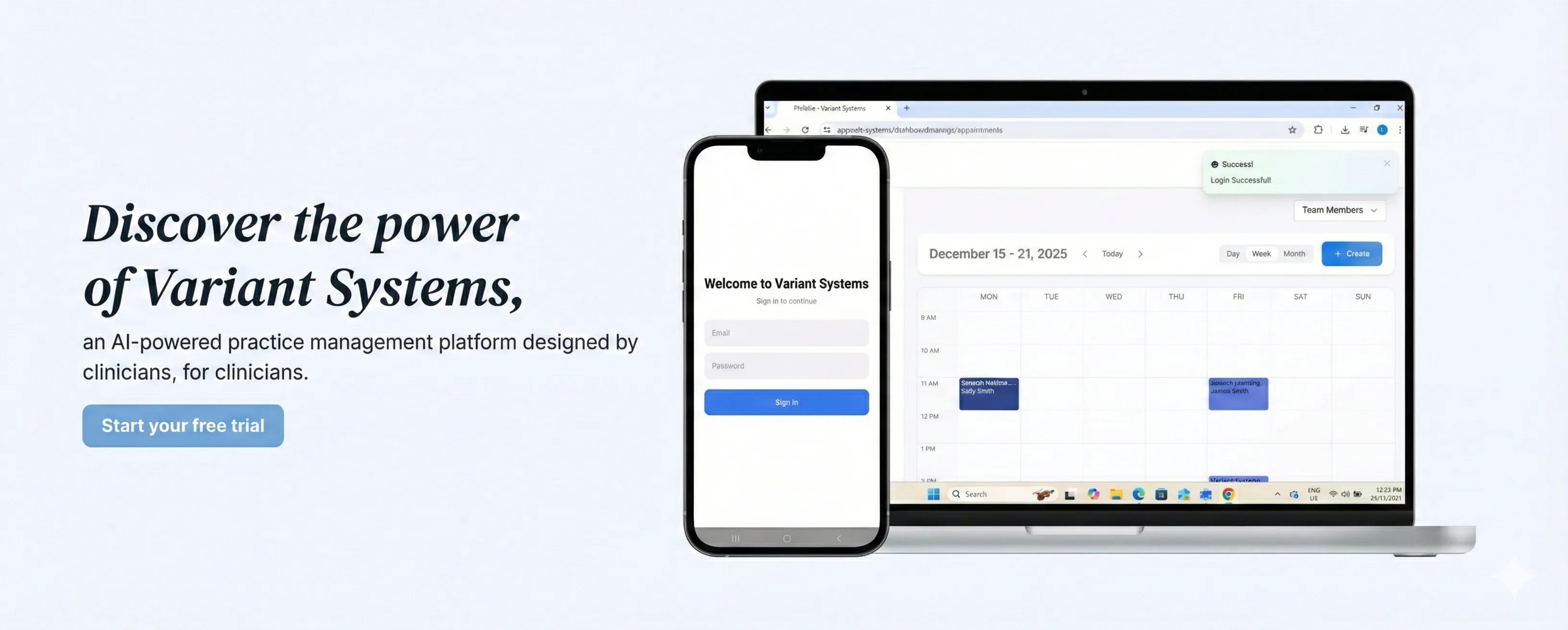
We partnered with a speech pathology clinic to build a comprehensive practice management platform - a personal assistant for every clinician and allied healthcare worker in the practice. The founder had deep domain expertise in clinical operations but needed a technical team that could transform that knowledge into production software.
Over six months, we built a platform spanning 100,000+ lines of code: an Elixir/Phoenix backend, a React Native mobile app, and a 30+ page LiveView dashboard. Today, it runs the clinic’s entire operation - from client onboarding to appointment management to billing.
The Challenge
The clinic was running on fragmented software. Accounting tools were being stretched to handle billing workflows they weren’t designed for. Client information lived in spreadsheets. Session notes were written manually after every appointment. Scheduling happened across multiple systems that didn’t talk to each other.
The founder saw an opportunity: leverage AI to automate the most time-consuming parts of clinical work - particularly the documentation that eats into every clinician’s day - while building a unified system purpose-built for allied health workflows.
They needed more than a development shop that would execute a spec. They needed engineers who could own the product architecture, make technical decisions, and ship a production system that would run their business.
What We Built
Intelligent Client Onboarding
Clients come to the clinic with documentation - NDIS plans, Medicare referrals, intake forms. Previously, staff would manually extract information from these PDFs and enter it into various systems.
We built an LLM-powered document processing pipeline. Upload a PDF, and the system extracts and structures all relevant client information automatically. Structured output schemas ensure consistent data extraction. Intelligent defaults populate fields that can be adjusted post-creation, but rarely need to be. What used to take 15-20 minutes of data entry now happens in seconds.
Custom Calendar System
Off-the-shelf calendar solutions couldn’t handle the complexity of clinical scheduling. Appointments aren’t just time blocks - they’re the entry point to an entire workflow.
We built a custom calendar system in Phoenix LiveView. It handles:
- Multiple appointment types - sessions, report writing slots, internal meetings, administrative blocks - each with different rules and billing implications
- Recurring appointments - essential for ongoing therapy clients
- Conflict detection - prevents double-booking of clinicians or rooms
- Resource blocking - clinicians block time for documentation, breaks, and non-session work
The calendar renders entirely in LiveView, updating in real-time as appointments are created, modified, or cancelled across the team. (We wrote a deep-dive on building this calendar if you want the technical details.)
The Appointment State Machine
Every appointment flows through a state machine: scheduled → in progress → completed (or cancelled). Each transition can trigger downstream actions.
defmodule Appointment do
  use Ecto.Schema

  @states ~w(scheduled in_progress completed cancelled)a

  def transition(%__MODULE__{status: :scheduled} = apt, :start),
    do: {:ok, %{apt | status: :in_progress}}

  def transition(%__MODULE__{status: :in_progress} = apt, :complete) do
    apt = %{apt | status: :completed}
    # Trigger downstream actions based on appointment type
    Rules.apply_completion_rules(apt)
    {:ok, apt}
  end

  def transition(%__MODULE__{} = apt, :cancel) do
    apt = %{apt | status: :cancelled}
    # Late cancellation might still generate a charge
    if late_cancellation?(apt), do: Rules.apply_cancellation_fee(apt)
    {:ok, apt}
  end
end
A completed session might automatically generate a billable charge based on the appointment type. A cancellation within 24 hours might trigger a different charge. The rules are complex and clinic-specific - exactly the kind of domain logic that generic tools can’t handle.
We built a rule engine that the clinic can configure. Appointment types, billing rules, and workflow triggers are all adjustable without code changes. The system enforces business logic consistently, eliminating the manual tracking that previously caused billing errors.
AI-Powered Session Notes
This is the feature that saves the most time.
Clinicians conduct sessions with their mobile app open. They hit record, and the session audio is captured. When the session ends, the recording enters a processing pipeline:
- Transcription - audio converted to text via a speech-to-text service optimized for medical terminology
- Transformation - an LLM pipeline processes the transcript through multiple steps, extracting key information and structuring it into the clinic’s note format
- Review - the generated note appears in a custom Markdown-based editor where clinicians can review, adjust, and publish
Oban orchestrates this pipeline. Each step is a separate job with automatic retries if something fails:
defmodule Workers.ProcessRecording do
  use Oban.Worker, queue: :transcription, max_attempts: 3

  @impl true
  def perform(%Job{args: %{"recording_id" => id}}) do
    recording = Recordings.get!(id)

    with {:ok, transcript} <- Transcription.process(recording.audio_url),
         {:ok, note} <- NoteGenerator.transform(transcript, recording.appointment),
         {:ok, _} <- Notes.create_draft(recording.appointment_id, note) do
      # Notify clinician that their note is ready for review
      PushNotifications.send(recording.clinician, :note_ready)
      :ok
    end
  end
end
What used to take 20-30 minutes of post-session documentation now takes 2-3 minutes of review. The notes follow a consistent format, capture details that might otherwise be forgotten, and are immediately available in the client’s record. (More on how we built the recording and AI pipeline.)
Billing and Invoicing
Australian allied health billing is complex. NDIS, Medicare, private pay - each has different requirements, rates, and documentation needs.
We built a complete billing system integrated with Xero. Charges are generated automatically based on appointment rules. Invoices can be created manually or automatically on configurable schedules. The system sends invoice reminders at set intervals. SMS appointment reminders go out automatically via background jobs.
Oban’s cron functionality handles the scheduled work - no external scheduler needed:
# In application config
config :app, Oban,
  plugins: [
    {Oban.Plugins.Cron,
     crontab: [
       # Send appointment reminders every morning at 7am
       {"0 7 * * *", Workers.SendAppointmentReminders},
       # Process overdue invoice reminders daily
       {"0 9 * * *", Workers.SendInvoiceReminders},
       # Sync completed invoices to Xero every hour
       {"0 * * * *", Workers.SyncToXero}
     ]}
  ]
For invoice presentation, we built a layout engine - the Invoice Designer. Clinics can define their invoice structure: which fields appear, in what order, how line items are grouped. The system generates professional PDF invoices matching their specifications.
The LiveView Dashboard
The entire administrative interface is Phoenix LiveView - over 30 pages of real-time UI. Data tables, forms, the calendar, reporting - all LiveView.
This was a deliberate architectural choice. LiveView’s server-rendered approach means we maintain one codebase (Elixir) for the entire web interface. Real-time updates happen automatically. When a receptionist schedules an appointment, every clinician viewing their calendar sees it appear instantly.
Building a complex calendar in LiveView was technically challenging. Optimizing re-renders, managing state across date ranges, handling drag-and-drop interactions - we pushed LiveView further than most applications do. The result is a responsive, real-time dashboard that feels like a SPA but requires no JavaScript framework.
Mobile App
The React Native app is the clinician’s daily driver. They use it to:
- View their schedule and upcoming appointments
- Start sessions and record audio
- Review and publish AI-generated notes
- Access client information
The app syncs with the backend in real-time. We’re currently building pausable recordings - sessions can be paused mid-appointment and resumed later, with fragmented audio chunks synced and combined in the processing pipeline.
Technical Architecture
The platform runs on a multi-tenant PostgreSQL architecture. Each clinic’s data is isolated while sharing infrastructure. Oban handles background job processing - everything from transcription pipelines to scheduled SMS reminders to automatic invoice generation.
The stack:
- Backend: Elixir/Phoenix (~80K lines)
- Mobile: React Native (~50K lines)
- Database: PostgreSQL with multi-tenant isolation
- Background jobs: Oban for async processing and cron-based automation
- AI: LLM-powered document extraction and note generation
- Integrations: Xero for accounting, SMS providers for notifications
Results
The platform is in daily production use. Seven to eight clinicians rely on it for their entire workflow - scheduling, documentation, billing. They’ve consolidated multiple fragmented tools into a single purpose-built system.
The AI note generation alone saves hours of documentation time weekly. Billing errors from manual tracking have been eliminated. The clinic operates more efficiently without adding administrative staff.
How We Work
This engagement started with one engineer from Variant Systems. As the platform grew, we scaled to two. The founder came with domain expertise and a vision; we brought the architectural direction and earned engineering judgment.
We didn’t work from a detailed spec. We collaborated closely, understanding clinical workflows, proposing technical solutions, and iterating based on real usage. When we encountered complex problems - like building a performant calendar in LiveView or designing a flexible rule engine for billing - we made the architectural decisions and stayed on the hook for the outcomes.
This is what an Architectural Partnership looks like in practice. The founder focuses on their clinic and their patients. We own the architecture alongside them.
Looking for a similar Architectural Partnership? Schedule a working session.
Key outcomes
- 7–8 clinicians rely on the platform for their entire daily workflow
- AI note generation saves hours of documentation time every week
- Billing errors from manual tracking completely eliminated
- 100,000+ lines of production Elixir, React Native, and LiveView code
- Consolidated 4+ fragmented tools into one purpose-built system